Step 3
Now we connect the wires to each other. I connected red to red, green to green, black to black, yellow to white, purple to blue, and uncoated to uncoated. As long as you’re consistent between the two sides, you should be able to connect however you want, but I tried to make it easy.
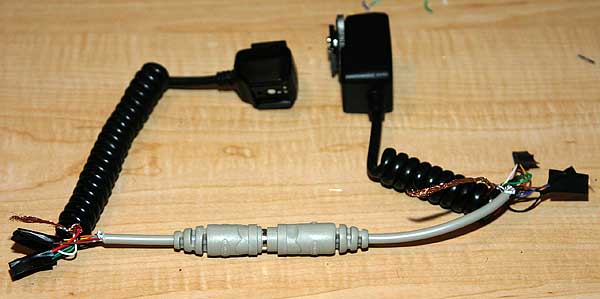
Twist the connections together tightly and wrap with a small piece of electrical tape. You could also solder or use screw connections, but I was going for easy. You’ll wind up with something that looks like this.

Repeat with the other end and connect the two keyboard ends together to make yourself a short cable. Right now it’s only about as long as the original OCSC2, but we’ll fix that in a minute.
[…] hecho existen algunos tutoriales al respecto ( Canon Off-Camera Shoe Cord 2 Solderless Extension y Extending the Canon OCSC2 with a keyboard cable). Y si están con tiempo, tal vez puedan realizar una pequeña investigación de mercado y así […]